Digital Painters

Profile picture of aquasnoz
aquasnoz
@aquasnoz
14 Years10,000+ Posts

Comments: 362 · Posts: 10167 · Topics: 100
Hello my digital painters, graphic designers and illustrators alike! Wondering what you thought of Photoshop CS6 because yep I'm still using 5 and thinking about upgrading. I've heard numerous upgrades to the entire suite of which I'm interested in the After Effects and Premier Pro upgrades.

Photo Manipulation is fine with me I don't do too much of that work and I mainly paint using Painter XI so if you have experience with XII also I'd like to know the differences. I guess I got out of touch with the software side of things a while back 😢

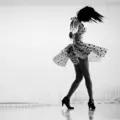
Just a bit of sample this is the style I paint in so if anyone else paints similarly any tips and tricks or just improvements in general with these new programs?


Also if you are familiar with After Effects, are the GPU acceleration worth getting? I know Premiere Pro CS6 is leaps and bounds with amazingly fast rendering speeds and instant effect preview renders but I can't seem to find information on animation effects.
Profile picture of aquasnoz
aquasnoz
@aquasnoz
14 Years10,000+ Posts

Comments: 362 · Posts: 10167 · Topics: 100
Yeah I've always wanted a few workstations at home catered for those different needs. Just finance limited so I try to cater my home computer to do everything at a reasonable speed lol.

I do have the new Nvidia line and has CUDA capability but haven't gotten the software so far. I do notice programs like Maya to be running a lot faster. What are you experiences with OpenSource software? Mine has always been a bit iffy purely because the industry here rely heavily on Proprietorial software from Adobe. 3D side it's definitely a lot easier but seems Photoshop/Illustator/InDesign are still dominating the design industry.
Profile picture of aquasnoz
aquasnoz
@aquasnoz
14 Years10,000+ Posts

Comments: 362 · Posts: 10167 · Topics: 100
Posted by everevolvingepithet
My comp has trouble running Aftereffects smoothly but it only has 4gig of Ram so it could be that, I haven't had any problems with Premiere though and it seems to run pretty smoothly so far. I'm still pretty new to using Photoshop and have yet to fully delve into it outside of photo manipulations. Is all that work done in layers, Aquasnoz? It's a style I want to start practicing and getting into more.


Hmm there's a few forms but yeah mainly layers just for the sake of changes further down the road. I use it mainly for painting and photo manipulation. Best way is getting acquainted with the mask feature because it saves me a lot of time later on if I need to make changes.

4gigs of ram is plenty I think! It's only when you start to render Hour long videos or a MASSIVE image file with a gazillion layers 😄 What's the style you're thinking of?
Profile picture of aquasnoz
aquasnoz
@aquasnoz
14 Years10,000+ Posts

Comments: 362 · Posts: 10167 · Topics: 100
Posted by everevolvingepithet
Ah cool, so that's more like a base to build on in colour? Ta for the masking tip.

With aftereffects, I was thinking of editing all the individual elements in photoshop first then compiling it all in ae, but whenever I try and run anything in that program the frame rate seems to lag so I've put it to one side for now, although I've only tried using vids around 4mins long so far, I was thinking of trying to build something from scratch in ae.



Well for photoshop that's the simplest, most effective and popular technique, if we're talking digital painting and taking a cartoon for example, your top layer might be your line art, followed by highlights, shadows, base colours etc.

After Effects might depend entirely on the where you want to take the art direction. AE has a nice toolkit but I find it lacking for certain effects but definitely possible 🙂 I think even at 4gig of ram it shouldn't be that slow, have you tried playing around with the preview quality?
Profile picture of aquasnoz
aquasnoz
@aquasnoz
14 Years10,000+ Posts

Comments: 362 · Posts: 10167 · Topics: 100
Hmm neither lol hangon *digs up old one*


This is probably more easier to tell so the skin colour, hair colour you can probably notice a base colour. SO think of base being the FLAT 'middle' colour and you're just filling in the shadows and the highlights on separate layers. Progress pic might make it clearer:


The two from the first post are actually painted on a digital canvas using another program that simulates paint so it's just one massive layer and I blend it all together! Really depends on which feels more intuitive for you 😄
Profile picture of brianafay
brianafay
@brianafay
19 Years25,000+ PostsSagittarius

Comments: 2454 · Posts: 30581 · Topics: 372
Explain this process to me...do you paint strictly in photoshop? or is it something you sketch up, scan in, and then edit with paint and other tools??

I am getting pretty good at photoshop tricks for making my renderings and floorplans look magical...dodge and burn tools changed my life...but idk how you guys do it using the paint brush with such ease! It's really hard :/